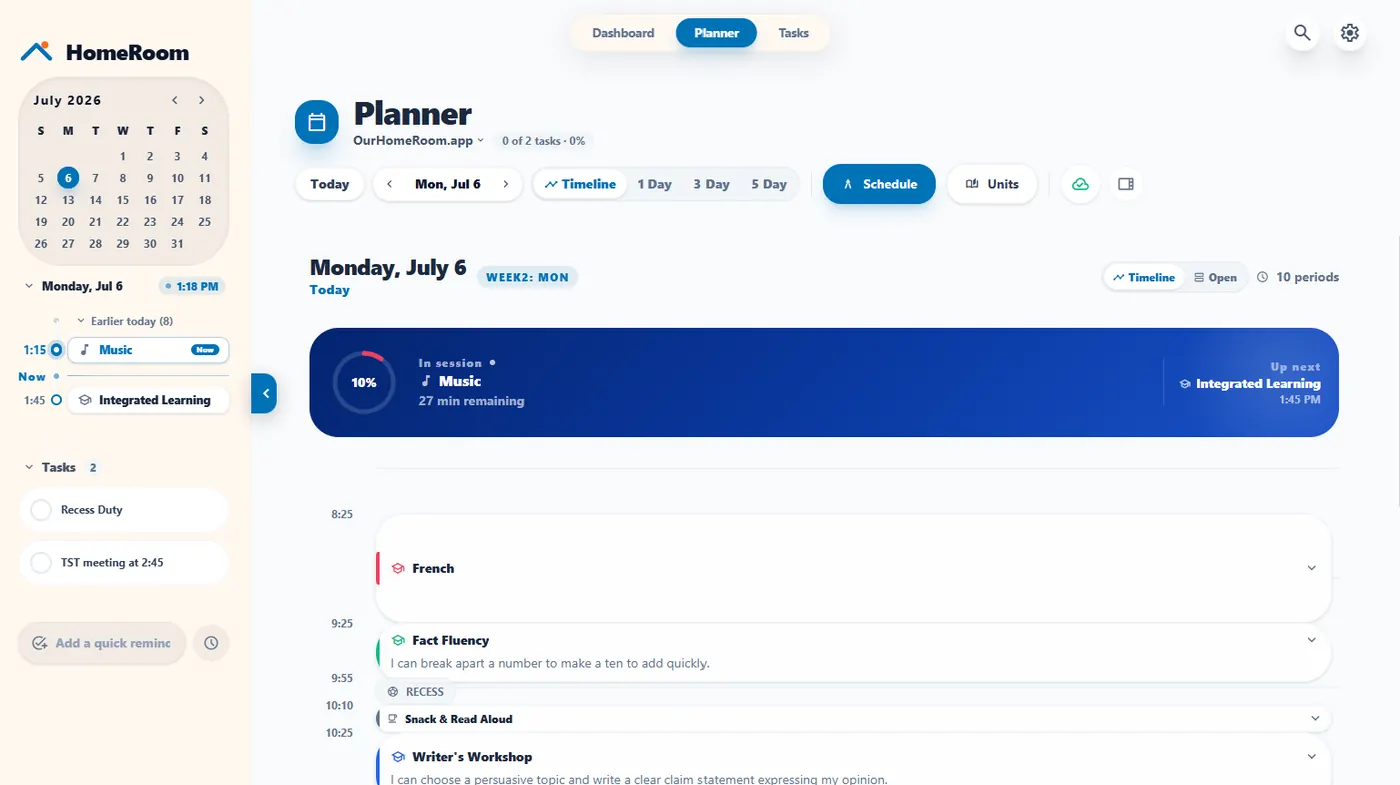
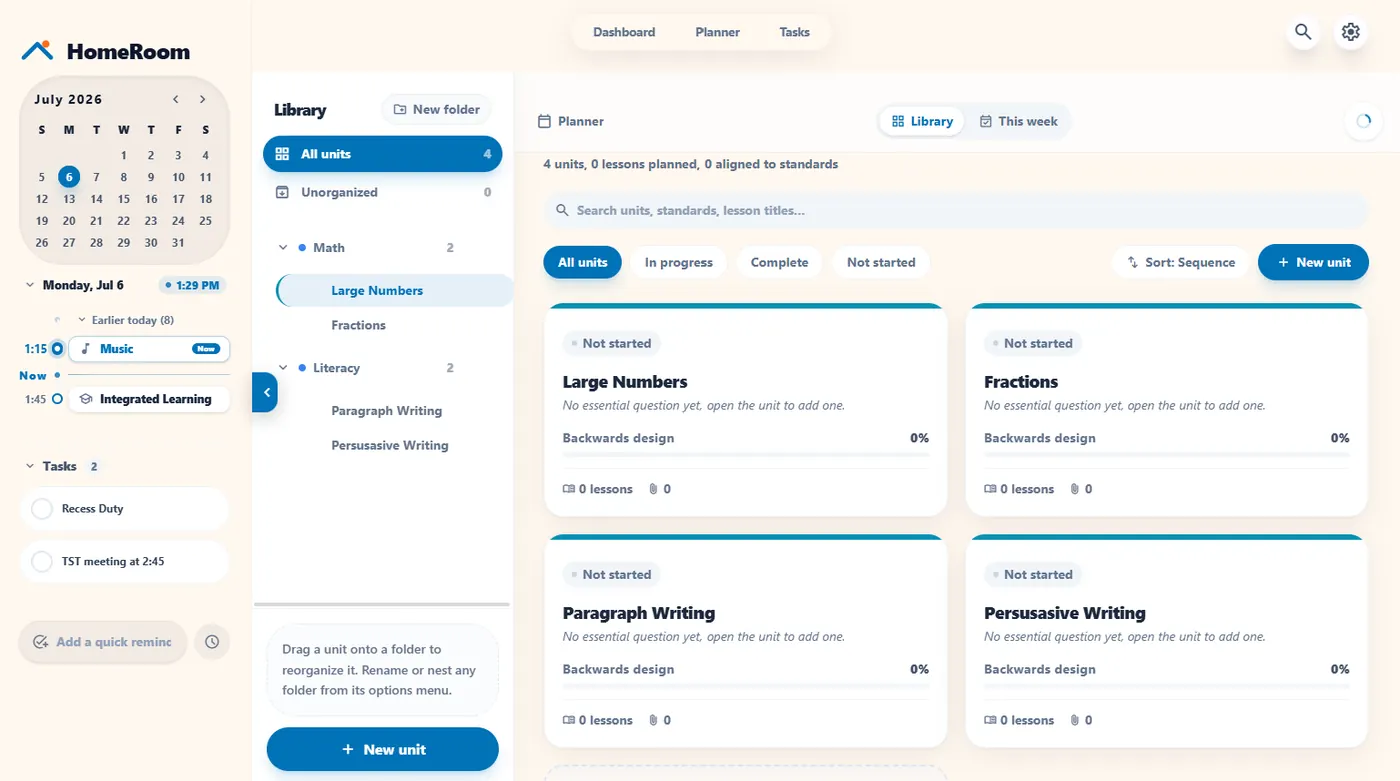
HomeRoom is a digital planner built by a working teacher. Plan your units and lessons, then put today's plan and learning target on the classroom board, so your planning and your teaching live in one place instead of a binder and a dozen tabs.
Weekly unit planner and daily lesson planner, with a schedule and task queue in the same app.
Show today's plan and learning target on your board next to timers, a name picker, a whiteboard and 30+ other tools.
Smart bumping slides your plans when the day changes, and your phone can act as a remote while you walk the room (Pro).
Instant sub plans and Guest Teacher Mode mean a guest teacher is not starting from a sticky note (Pro).
The free plan is $0 CAD forever and includes the full planner, with room for 5 classes and 1 unit plan with 3 active tasks. Pro is $20 CAD a year (regularly $30, founder price locked in for life) and adds unlimited classes and plans, live multi-device sync, Remote Control and guest mode. New accounts start with 60 days of full Pro, with no credit card.
HomeRoom runs in your browser, works on Chromebooks and touchscreen smartboards, and has no student accounts and no ads. It was built by Jeff Hennigar, an elementary school teacher in Nova Scotia. Comparing tools? See HomeRoom vs Classroomscreen.
Yes. HomeRoom has a weekly unit planner, a daily lesson planner, a schedule, and a task list, and your day plan shows on the classroom board so students see what is happening now and next.
Yes. The free plan is $0 CAD forever and includes the full planner, with room for 5 classes and 1 unit plan with 3 active tasks. Pro is $20 CAD a year and removes those limits. New accounts start with 60 days of Pro with no credit card.
Bump the lesson and every lesson after it slides down to fit. Smart unit bumping skips weekends and holidays automatically.
Yes. HomeRoom creates sub plans in one click, and Guest Teacher Mode gives a substitute access to your dashboard tools. Guest mode is part of Pro.
Yes. It runs in any modern browser, so it works on Chromebooks and touchscreen smartboards.
No. HomeRoom is for the teacher only, and students never sign in.